Game: Fly & Fight
A real-time multiplayer airplane battle game built with modern web technologies. This project serves as a foundation for workshops and educational content about game development.
The Game
Multiplayer Airplane Battle
A multiplayer 2D battle royale game where players compete in aerial combat. Built with TypeScript, it demonstrates how web development skills translate directly to game development.
Movement
Each player controls their own airplane. Use Up/Down to pitch the nose - the airplane always moves forward.
World Wrap
2D side view where the screen wraps around - reaching the edge teleports you to the opposite side.
Combat
Fire bullets that collide with other players. Last plane flying wins the round.
Technical Stack
Technologies Used
| Component | Technology | Purpose |
|---|---|---|
| Server | Bun + Native WebSocket | Game logic, physics, state management |
| Game Display | Phaser.js | 2D rendering and visualization |
| Controller | React | User input interface |
| Language | TypeScript | Type-safe development across all components |
| Communication | WebSocket | Real-time bidirectional messaging |
Physics Engine
Realistic Flight Simulation
Fly & Fight uses Box2D for physics simulation. The engine handles gravity and collisions, while custom code implements arcade-style airplane aerodynamics.
Box2D Engine
Industry-standard 2D physics engine ported to JavaScript. Originally written in C by Erin Catto, used in games like Angry Birds and Limbo.
Client & Server
Pure JavaScript implementation with no DOM dependencies. Runs identically on browser and Node.js/Bun for server-authoritative physics.
Airplane Forces
Custom implementation of thrust, lift, drag, and pitch control on top of Box2D's rigid body dynamics and collision detection.
Educational Value
What This Project Demonstrates
Key Concepts
TypeScript Full Stack
Single language across server, game client, and controller UI demonstrates TypeScript's versatility.
Real-time Architecture
Server-authoritative design with WebSocket communication shows proper multiplayer game patterns.
Modern Web Patterns
React for UI, Phaser for rendering, Bun for server - modern tools working together.
Technical Stack
- •Phaser.js game framework (game loop, sprites, scenes)
- •Native WebSocket API (not Socket.io)
- •TypeScript for type-safe communication
- •Bun runtime with native TypeScript support
Web Dev Skills Applied
- ✓React hooks (useState, useEffect)
- ✓Event handling and state management
- ✓Client-server communication
- ✓TypeScript interfaces and types
- ✓Responsive design
Game Dev Concepts
- +Game loops and fixed timestep
- +Client-server synchronization
- +2D physics and collision detection
- +Sprite rendering and animation
- +Input handling for touch/keyboard
Gallery
Screenshots
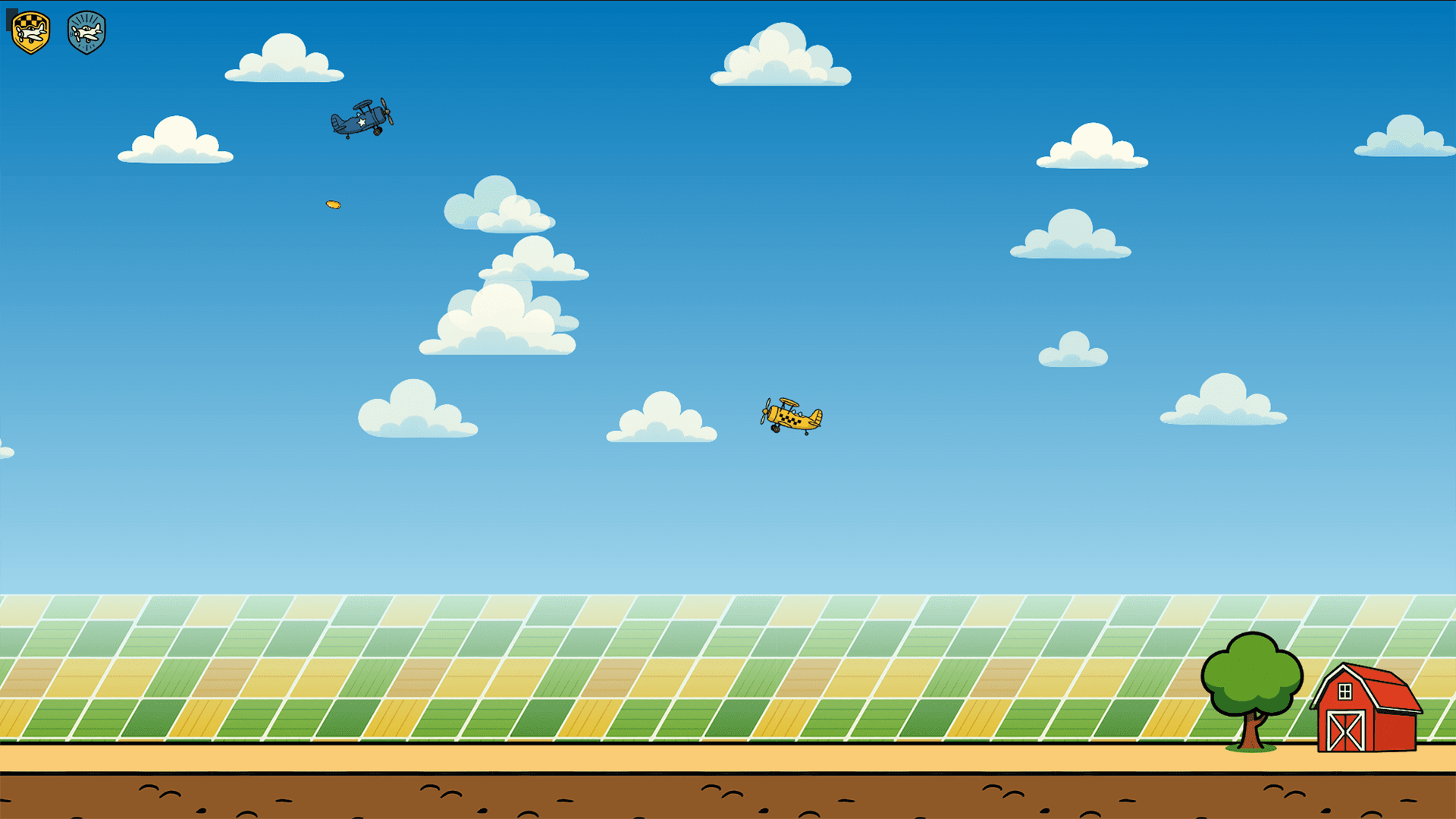
Game Display
Main screen with all players
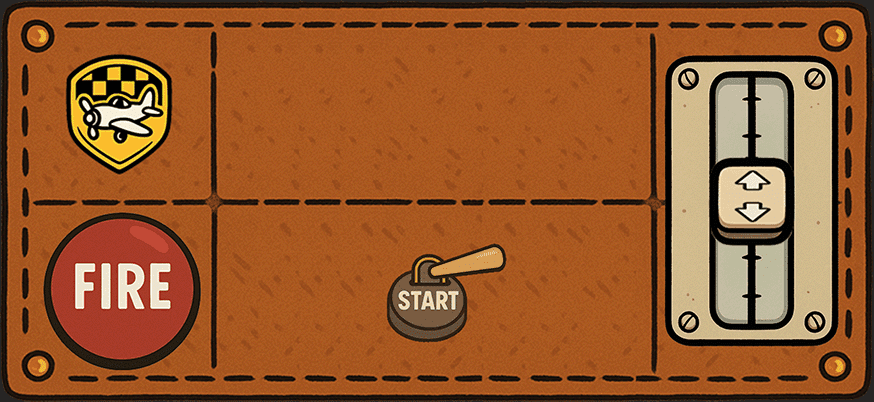
Controller UI
Mobile-friendly input interface
Current Features
What's Implemented
Play the Game
Demo & Source Code
Documentation
Learn the Internals
Protocol
Learn how the WebSocket protocol works. Understand client-server communication and message types.
View Protocol DocsPing & Heartbeat
Learn about connection health checks and latency measurement with an interactive demo.
Try Ping DemoPhysics Engine
Understand Box2D physics and custom airplane aerodynamics: thrust, lift, drag.
View Physics DocsFuture Features
Planned Improvements
FAQ
Frequently Asked Questions